One of the main features for this project was to be able to calculate the fuel consumption for each trip.
At the beginning I thought it was easy. Every car shows on the display the fuel consumption rate and,
probably, it is reliable.
But, it turned out that, at least for now on my Car (a BMW X1) FUEL_RATE and FUEL_LEVEL are not provided (supported) from the OBDII
interface.
Even if, if you look at the documentation on Wikipedia, there are the code for reading these parameters.
At the end, I have been able to estimate the gasoline usage starting from the Air Flow Rate (MAF).
I'll try to dig a little deeper on the subject.
Showing posts with label Connected Car. Show all posts
Showing posts with label Connected Car. Show all posts
Sunday, February 4, 2018

Sunday, January 28, 2018
(My) Connected Car Project: some more data from OBD2
It is not easy, if you don't work every day with cars, to understand what is the meaning of all the data coming from OBD2.
One of the functionalities I wanted to add is to be able to calculate the gasoline consumption for each trip.
Until now, I have not found a measurement coming from OBD2 directly connected to this consumption.
What I have found, and I'm able to read, is MAF, that is the quantity of air consumed, per second.
The gasoline is proportional and therefore MAF is an indirect measure of gasoline consumed.
I have also added to my prototype several other data.
This is the JSON message at this point:
One of the functionalities I wanted to add is to be able to calculate the gasoline consumption for each trip.
Until now, I have not found a measurement coming from OBD2 directly connected to this consumption.
What I have found, and I'm able to read, is MAF, that is the quantity of air consumed, per second.
The gasoline is proportional and therefore MAF is an indirect measure of gasoline consumed.
I have also added to my prototype several other data.
This is the JSON message at this point:
Thursday, January 11, 2018
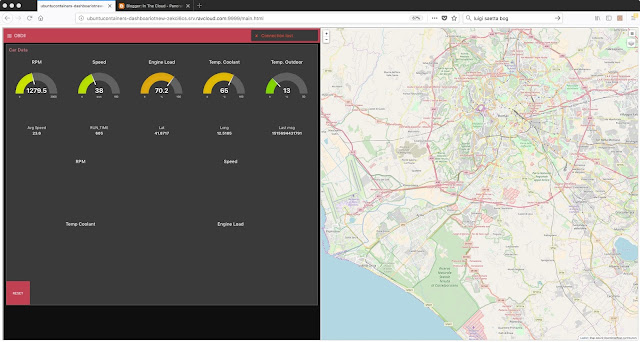
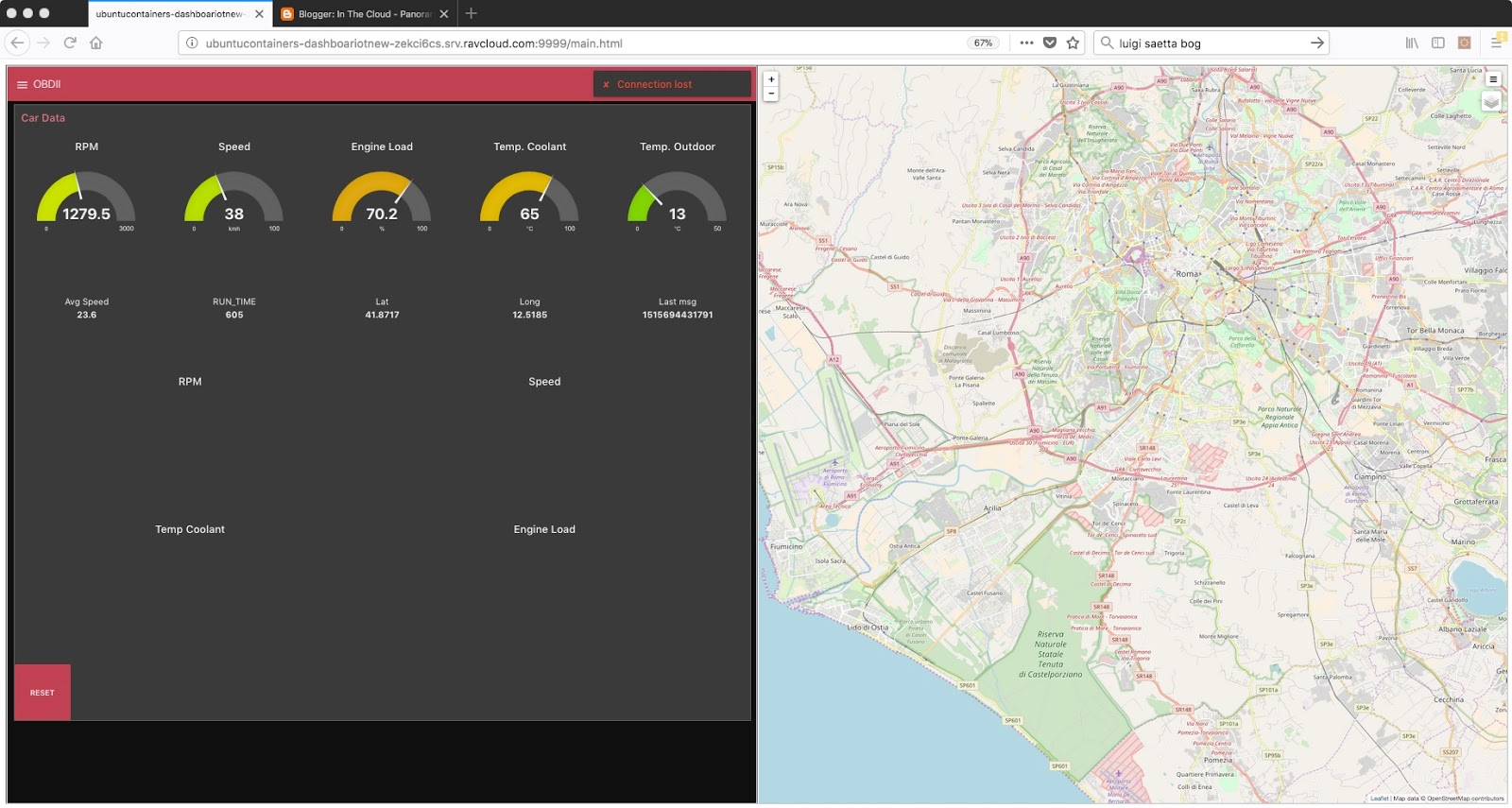
And this is a first snapshot
The Connected Car Project has a Cloud Backend.
Data coming from the gateway on the car are sent, as MQTT messages, to the IoT backend.
Behind the Message Broker there is a set of MicroServices enabling: data storage, filtering, transformation, visualization and analysis of data.
Data are visualized as a Real Time Dashboard and car's position is shown on a Map.
This is a first snaphot. Not bad.
Data coming from the gateway on the car are sent, as MQTT messages, to the IoT backend.
Behind the Message Broker there is a set of MicroServices enabling: data storage, filtering, transformation, visualization and analysis of data.
Data are visualized as a Real Time Dashboard and car's position is shown on a Map.
This is a first snaphot. Not bad.
Saturday, January 6, 2018
Documentation, the Open Source Way
I have decided to write and publish online the documentation not only using the Wiki contained in the GitHub project, but also using GitBook, where I'll be developing a more consistent version of the docs.
GitBook
GitBook
Thursday, January 4, 2018
MY Connected Car with Google (Voice Kit)
Ok, the first test is almost on the way. I'm ready and I'll do it tomorrow morning.
It has not simply been like: copy the python code on the RPI of the Voice Kit. Because I wanted to start using at least one feature of the RPI-Voice-Enabled.: the LED of the Hat.
And therefore things soon became a little bit more complicated than I expected:
Tomorrow: test with real data from OBDII interface.
Stay tuned.. and hope to not feel too much the anxiety for tests.

It has not simply been like: copy the python code on the RPI of the Voice Kit. Because I wanted to start using at least one feature of the RPI-Voice-Enabled.: the LED of the Hat.
And therefore things soon became a little bit more complicated than I expected:
- how to setup the right environment to execute VoiceKit SDK
- and then the Python version changed from 2 (the original I used) to 3... and I hit a difference
Tomorrow: test with real data from OBDII interface.
Stay tuned.. and hope to not feel too much the anxiety for tests.
Wednesday, January 3, 2018
(MY) Connected Car Project: the Next Big Thing
Yes, solutions of the future are built as mashup. Assembling building blocks.
Some months ago I purchased the Google Voice Kit and I assembled it.
I have also used it for some demo at work. It is a very nice and cost effective way to show how you can build custom solutions using Google Assistant Technology, Speech-to-Text (STT) and Text-to-Speech (TTS).
Now, the idea is: why not to run the OBDII python code on the Google Voice AIY kit?
It should be possible and easy: we have an RPI 3, and Python SDK from Google.
Therefore, this is MY Next Big Thing: my OBDII Python Code running on this:

If you want more details, see older posts and have a look at the MY Connected Car Project
Last but not the least: my idea of playing with "cars" started from a suggestion, and work we did together, from one great collegues and friend: Fabrizio Marini. Thanks guy!
Some months ago I purchased the Google Voice Kit and I assembled it.
I have also used it for some demo at work. It is a very nice and cost effective way to show how you can build custom solutions using Google Assistant Technology, Speech-to-Text (STT) and Text-to-Speech (TTS).
Now, the idea is: why not to run the OBDII python code on the Google Voice AIY kit?
It should be possible and easy: we have an RPI 3, and Python SDK from Google.
Therefore, this is MY Next Big Thing: my OBDII Python Code running on this:

If you want more details, see older posts and have a look at the MY Connected Car Project
Last but not the least: my idea of playing with "cars" started from a suggestion, and work we did together, from one great collegues and friend: Fabrizio Marini. Thanks guy!
Saturday, December 30, 2017
My Connected Car: display car position on a Map
I'm currently working on the Python module that is in charge to read data from OBDII and send data to the MQTT broker.
In the meanwhile, I'm exploring how to add position (latitude, longitude from GPS) and display these positions on a Map.
Till now, I don't have a working GPS module on my RPI (I have two available, still in test phase).
But, since I have decided to use a SmartPhone to provide connectivity to Internet, one solution I have found (for now) is to use OwnTracks.
In addition, I have added WorldMap to my NodeRED instance. And, with a simple flow, I'm able to show the current position of my Car on a Map.
Amazing...

In release 2 of my project, I'll integrate it with Oracle IoT Fleet Management. With this integration enabled I'll get many more features. An example is the view shown below, that shows cars' locations on a map.

Stay tuned.
In the meanwhile, I'm exploring how to add position (latitude, longitude from GPS) and display these positions on a Map.
Till now, I don't have a working GPS module on my RPI (I have two available, still in test phase).
But, since I have decided to use a SmartPhone to provide connectivity to Internet, one solution I have found (for now) is to use OwnTracks.
In addition, I have added WorldMap to my NodeRED instance. And, with a simple flow, I'm able to show the current position of my Car on a Map.
Amazing...

In release 2 of my project, I'll integrate it with Oracle IoT Fleet Management. With this integration enabled I'll get many more features. An example is the view shown below, that shows cars' locations on a map.
Stay tuned.
Friday, December 29, 2017
My Connected Car: First tests on Car
Yes, it works !
Today, 29/12/2017 I have tested my Python code on my car (a BMW X1) and it has worked fine.
Therefore, I have marked the set of code as release "0.6": it is more than half of the way towards release "1.0".
I have also setup some NodeRED flows on my (Oracle) Cloud environment and in about 50 min. of tests about 300 msgs have been saved in a MySQL table.
Every record contains the JSON msg sent to th Cloud. For now only for storing purposes.
Have a look:

If you want to have a look at the code, here it is: OBDII github
Today, 29/12/2017 I have tested my Python code on my car (a BMW X1) and it has worked fine.
Therefore, I have marked the set of code as release "0.6": it is more than half of the way towards release "1.0".
I have also setup some NodeRED flows on my (Oracle) Cloud environment and in about 50 min. of tests about 300 msgs have been saved in a MySQL table.
Every record contains the JSON msg sent to th Cloud. For now only for storing purposes.
Have a look:
If you want to have a look at the code, here it is: OBDII github
My Connected Car project
If you want to follow my progress on the project here some information.
I have started the development of the code that will run on the RPI 3.
Here is the link to the github repository:
I have started the development of the code that will run on the RPI 3.
Here is the link to the github repository:
If you have any suggestion, comments or want to contribute to the code, let me know.
Thursday, December 28, 2017
Back to Iot: (My) Connected Car
I've been away for a while. Yes, I've not blogged for some time, because I've been busy working and training for my Half Marathon efforts.
Now, I have decided to start a new project: a Connected Car project. And I'll blog about it.
For now, I want only to highlight the idea.
Using:
Yes, I'm talking about a Real Car!
And more, I want to build a system that is:
Now, I have decided to start a new project: a Connected Car project. And I'll blog about it.
For now, I want only to highlight the idea.
Using:
- A Raspberry PI 3
- A SmartPhone
- An OBDII bluetooth dongle
- Cloud Services
Yes, I'm talking about a Real Car!
And more, I want to build a system that is:
- Low cost
- Open Source
Subscribe to:
Posts (Atom)